Why this used to be miserable
For years, motorized blinds spoke proprietary radio. Each brand shipped its own remote, its own app and — if you wanted voice control or automation — its own bridge, a small box that translated the blind’s radio into something your phone understood. Buy blinds from one company and lights from another and you ended up with two apps, two bridges and no way to make them work together.
Worse, the bridge was usually the thing that decided which ecosystems you got. A brand might support Alexa and Google but not Apple Home, or support Apple Home only through a bridge that cost as much as another blind.
What Matter changed
Matter is a cross-industry smart-home standard, and window coverings were added to it in Matter 1.2, released in October 2023. Support rolled out across the major ecosystems through 2024, and by now Matter-certified shades are widely available.
The practical effect: a Matter-certified shade works with Apple Home, Amazon Alexa, Google Home and Samsung SmartThings without a brand-specific bridge. One blind, every ecosystem, and you can change your mind about phones later without changing your blinds.
Matter over Thread vs Matter over Wi-Fi
Matter is the language; Thread and Wi-Fi are two of the roads it travels on. The difference matters for blinds specifically:
- Thread is a low-power mesh network. Devices relay for each other, so range improves as you add more, and battery life is measured in months to years. It needs a border router in the house — a device that bridges Thread to your network.
- Wi-Fi needs no extra hardware, but is far hungrier. On a battery-powered shade that means recharging much more often. It’s a reasonable choice for hardwired motors, a poor one for battery.
For battery blinds — which is most retrofit installations — Matter over Thread is the one to ask for.
Do you already have a Thread border router?
Quite possibly. Common ones include a HomePod mini or recent Apple TV, a Nest Hub, and several current Echo models. If you own one of those, you have the infrastructure already. If you don’t, adding one is a modest one-time cost — and it’s a far better purchase than a single-brand blind bridge, because everything else you buy later can use it too.
The questions to ask before you order
- Which ecosystem does the household actually use? Not which one you like — which one is on everyone’s phone. Mixed households are exactly why Matter is worth insisting on.
- Is it Matter-certified, or “works with” one app? These are different claims. Certified means it joins any Matter controller. “Works with our app” means a bridge.
- Thread or Wi-Fi? Thread for battery, either for hardwired.
- Battery, rechargeable, plug-in or hardwired? See below.
- Does it still work if the internet is down? A local-first setup — Thread plus a local controller — keeps working. Cloud-dependent blinds don’t.
- Is there a physical control? A wall switch or remote for guests, kids and dead phones.
At a glance
| Standard to ask for | Matter, certified — not “works with our app” |
|---|---|
| Best transport for battery blinds | Thread |
| Needs a Thread border router | HomePod mini, Apple TV, Nest Hub, some Echo models |
| Ecosystems covered by Matter | Apple Home · Alexa · Google Home · SmartThings |
| Works without internet | Yes, with Thread and a local controller |
| Window coverings added to Matter | Matter 1.2, October 2023 |
| Also worth having | A physical remote or wall switch |
Power: the decision that shapes your year
- Rechargeable battery — the usual retrofit choice. No wiring, no wall damage. You take the tube down (or plug in a cable) once or twice a year. Thread and a sensible schedule stretch that considerably; Wi-Fi shortens it.
- Plug-in — a small transformer to a nearby outlet. No recharging, but a visible cable unless there’s an outlet close to the window.
- Hardwired — cleanest and permanent, and the right answer during a renovation when the wall is already open. Not realistic as a retrofit in a finished condo.
- Solar top-up — a small panel on the glass that trickle-charges. Genuinely useful on a sunny south-facing window; close to useless on a shaded north one. Which is, of course, exactly where you most want it to work.
What automation is actually worth setting up
Most people set up voice control, use it for a week, and then never speak to a blind again. The automations that stick are the ones you never think about:
- Close on sun, not on clock. Tie the blind to the sun’s position, so the west-facing living room shades itself at 4pm in June and 6pm in September without you re-editing a schedule. This is the one that saves real money on air conditioning — more in blinds for south- and west-facing windows.
- Wake and sleep. Bedroom blackout blinds that lift gently at your alarm and drop at bedtime.
- Away mode. Blinds that move a little while you’re travelling — a much more convincing sign of occupancy than a lamp on a timer.
- Winter heat retention. On honeycomb shades, dropping them automatically at dusk captures most of their insulating benefit without anyone remembering to do it. See best blinds for Montreal winters.
Sunset here swings by more than five hours between June and December. Clock-based schedules feel wrong for half the year — always use sunrise/sunset triggers with an offset instead of fixed times.
Where smart blinds are worth the money — and where they aren’t
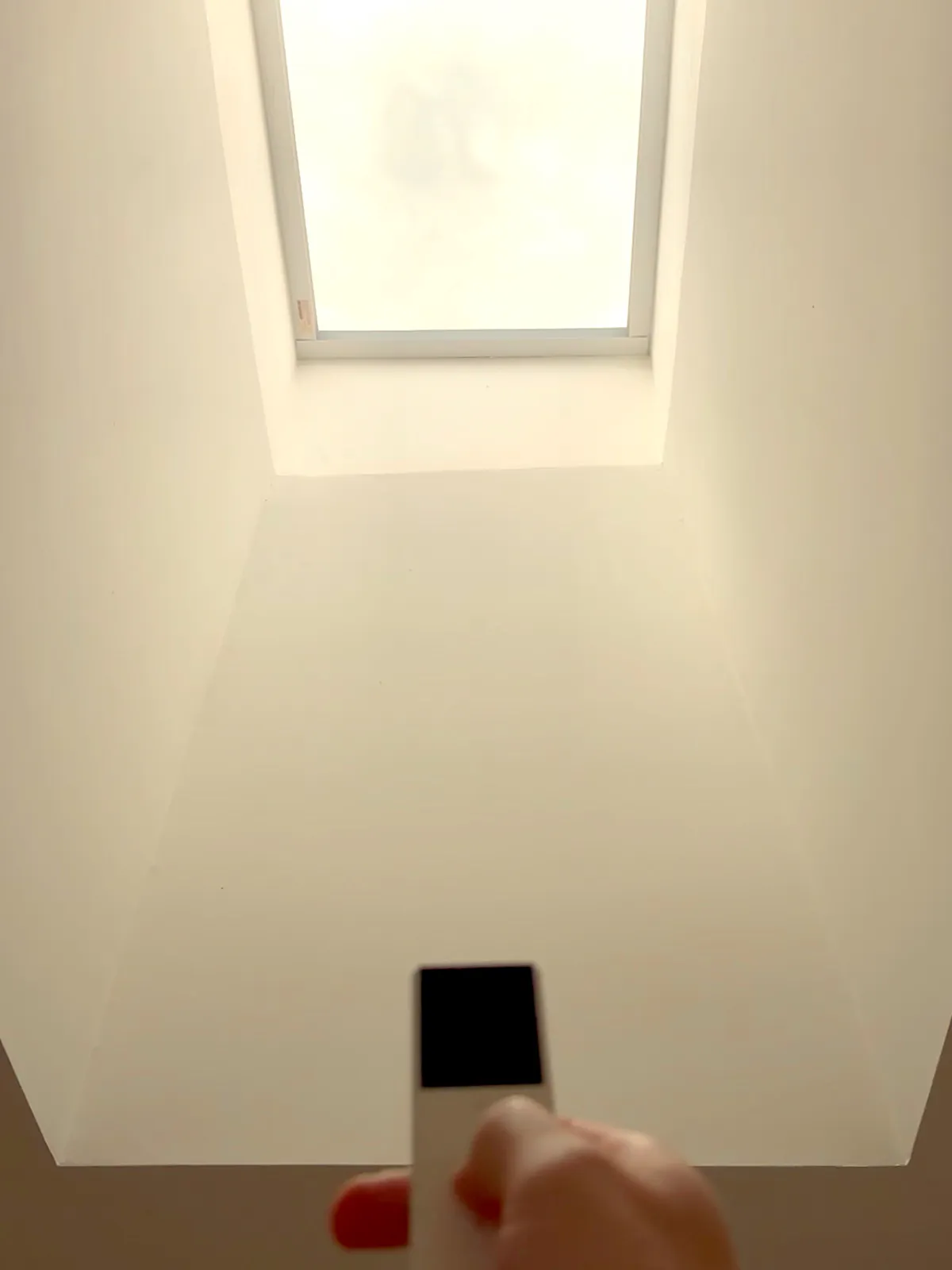
Worth it: tall or wide glass that’s heavy to operate; windows behind furniture; skylights and stairwells you can’t reach; a bank of several windows that should move together; any room where sun control has a real effect on comfort or bills.
Usually not: a small bathroom window, a guest room used twice a year, a window you already walk past ten times a day. A cordless roller is quicker to operate than an app for a single easy window — and there’s nothing to charge.
Frequently asked questions
Do smart blinds work with Apple Home?
Yes, if they’re Matter-certified — Matter added window coverings in version 1.2 and Apple Home supports it. For battery-powered shades ask specifically for Matter over Thread, and make sure you have a Thread border router such as a HomePod mini or a recent Apple TV.
Do I need a hub or bridge?
Not for a Matter-certified shade in a household that already has a Matter controller. Thread shades additionally need a border router, which is usually a smart speaker or hub you already own. Older proprietary-radio blinds do need a brand bridge.
How long does the battery last?
Months to a couple of years on a Thread shade with a normal schedule, and far less on Wi-Fi. It depends most on how many times a day it moves and how large the blind is — a wide blackout blind is a lot of fabric to lift.
Will they still work if my internet goes down?
With Thread and a local controller, yes — the automations and remotes keep working. Cloud-dependent blinds stop until the connection returns, which is one more reason to prefer Matter over Thread.
Can I control blinds from different brands in one app?
That’s the point of Matter — certified devices from any brand appear together in Apple Home, Alexa, Google Home or SmartThings. Pre-Matter blinds usually stay stuck in their own app.
Do you install motorized blinds in Montreal?
Yes — motorized and smart options across our full fabric range, measured and installed free across Greater Montreal, Ottawa and Eastern Ontario. Tell us which ecosystem you use and we’ll match the motor to it.